Real-time RVC engine
Sub-second mouth-to-ear voice transformation, locally on your GPU. Auto-adjusts under load.
download
Free to download. Free starter voices included. The full premium catalog is one click away inside the app once you have a Studio subscription.
Local-only audio · no telemetry · cancel Studio anytime
Heavier than a chat app, lighter than a game. The installer ships the full on-device AI engine — your microphone never leaves your machine, so all the model weights, runtime, and DirectML GPU compute live in the install instead of on our servers.
premium roster
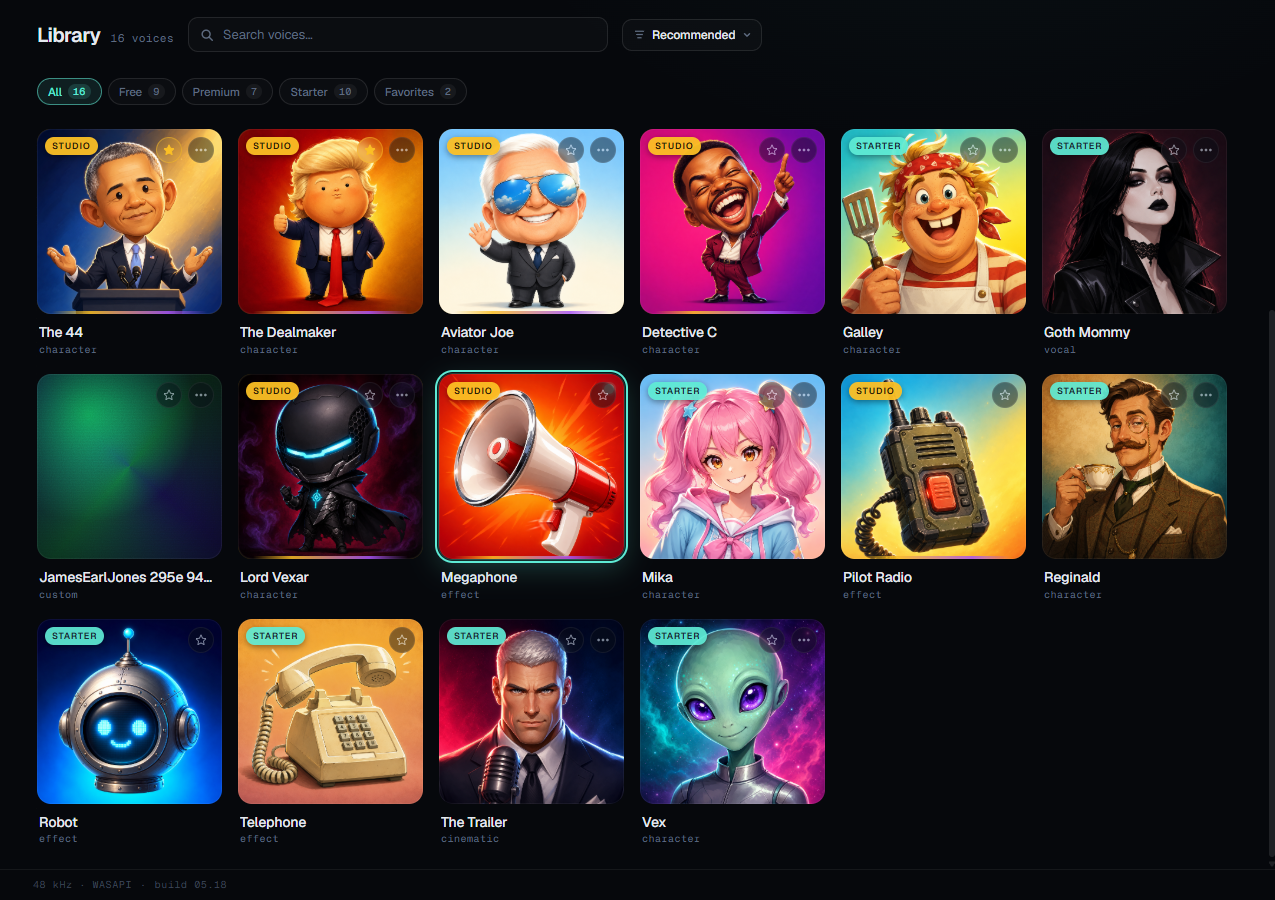
Free starter voices ship with the install. The character roster below downloads on-demand inside the app once you've got Studio.






in the box
Sub-second mouth-to-ear voice transformation, locally on your GPU. Auto-adjusts under load.
Six free starter characters + DSP effects (Telephone, Robot). No subscription required.
Once you have a Studio subscription, the full premium roster downloads on demand from inside the app.
what it looks like
Pick a voice, hit Start, talk into your mic. The Console handles the rest — latency monitoring, audio routing, push-to-talk. No tweaking required to be on air.
install & setup
Double-click the .exe. Windows SmartScreen may prompt on early builds — click "More info" → "Run anyway."
On first launch PhazeVox prompts to install VB-Cable — a free virtual audio device by VB-Audio Software that lets Discord, Steam, and OBS see PhazeVox's output as a microphone. One click; we handle the rest.
Open the Library, click any starter voice, then press Start in the Console. Your friends will hear the transformed audio.
system requirements
Minimum
Recommended
No dedicated GPU? PhazeVox still installs and runs, but expect noticeable latency (~150-250 ms) and occasional stutters on AI character voices. The DSP effects + new broadcast mic presets (Clean Studio Mic, Podcast Voice) run smoothly on any modern machine.
Mac and Linux aren't supported at launch. We're focused on shipping the Windows build first; if there's enough interest after launch we'll evaluate other platforms.